

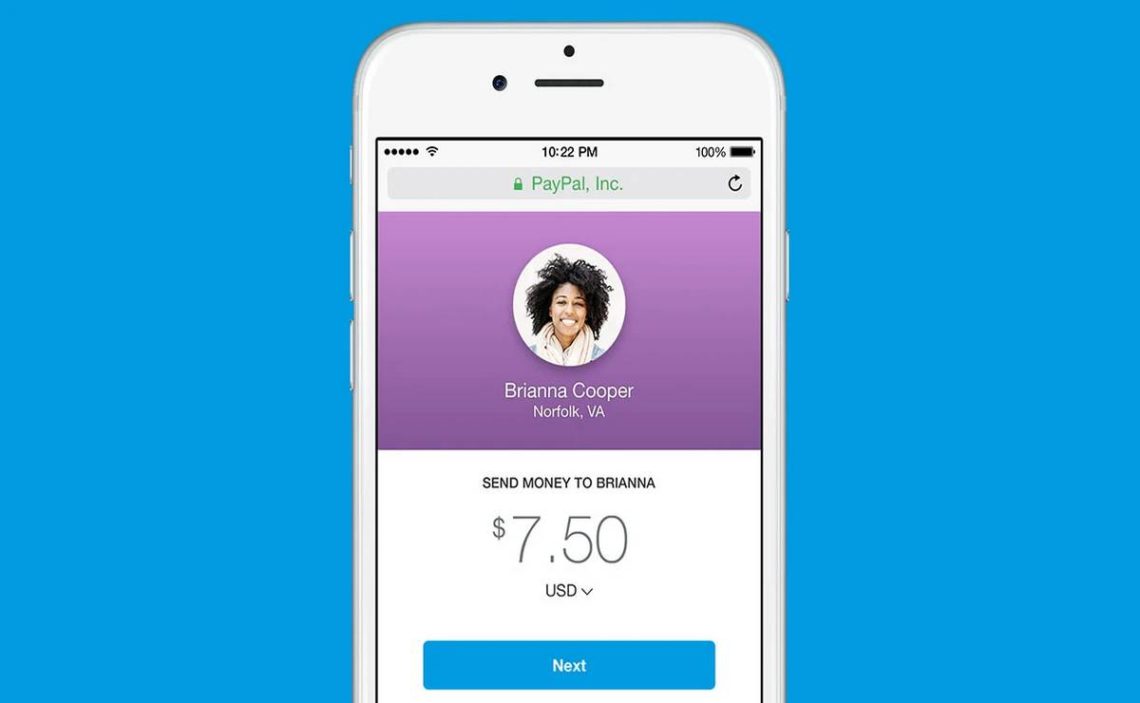
If you are receiving payments through PayPal, your “username” is not something separate or hidden. In most cases, your PayPal username is simply the email address you used when registering your account. That is the primary identifier people use to send you money.
However, PayPal also allows you to create a public handle through PayPal.me, which appears as @YourName. That handle is optional and works as a simplified payment link.
Understanding the difference between your registered email and your PayPal @username is essential, especially if you are selling products, invoicing clients, or sharing payment details publicly. Many users confuse these two identifiers, which can lead to delays or mistakes when receiving funds.
What Exactly Is A PayPal Username?
When people ask, “What is my PayPal username?”, they are usually referring to one of two things.
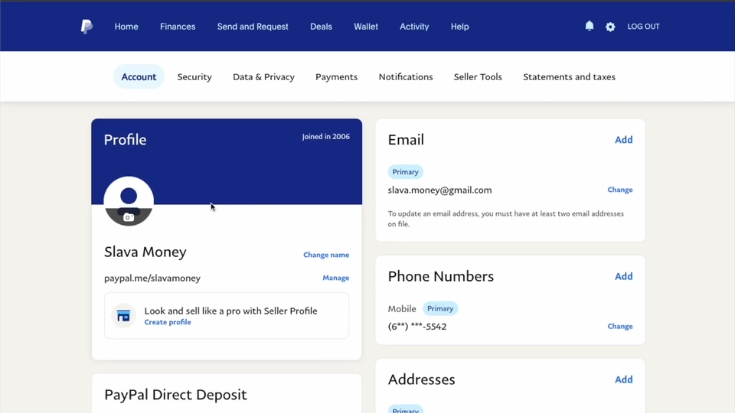
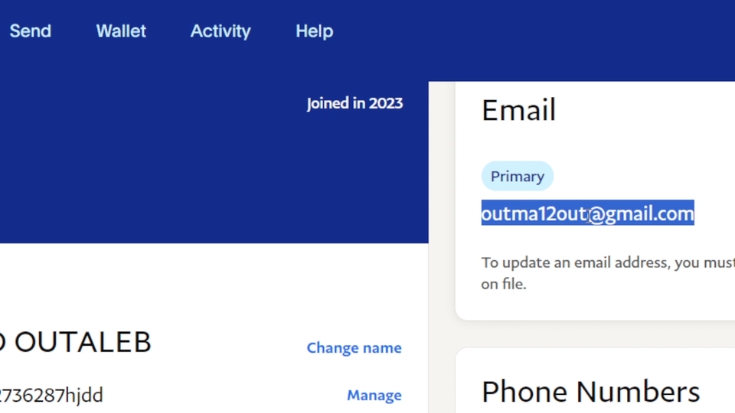
First, there is your registered email address, which acts as your primary PayPal identity. This is what you use to log in, and it is what others can enter when sending you money. It is mandatory and cannot be removed from your account, although you can update it.
Second, there is your PayPal.me handle, formatted like @JohnSmith. This is optional and only exists if you create it. It is linked to a public URL such as paypal.me/JohnSmith, which allows others to send you money quickly without manually entering your email.
If you have never created a PayPal.me link, then your PayPal username is simply your email address. There is no additional hidden name attached to your account.
How To Log In To PayPal Safely
Logging in is straightforward, but because PayPal handles financial transactions, it includes strong security measures. You should always access PayPal through the official website or mobile application.
To log in, visit the official PayPal website and click the Login button located in the upper-right corner. Enter your registered email address and your password.
If you are logging in from a new device or a device not marked as trusted, PayPal may require two-factor authentication. This means you will receive a verification code via SMS, email, or the PayPal mobile app. Only after entering that code will you gain access to your account.
If login fails, the issue is usually one of the following:
Always verify the website address before entering your login details, and never share your password or verification codes with anyone.
Where To Find Your PayPal Username
If you are already logged into your account, locating your PayPal username takes only a few steps.
On the website, click the gear icon in the top right corner to access your account settings. In the Account section, you will see your name and registered email address. If you have created a PayPal.me link, it will also appear there.
In the PayPal mobile app, tap your profile icon. Your registered email is visible within your account details, and your PayPal.me handle will appear if you have activated it.
If no @username is visible anywhere in your account, that simply means you have not created one yet.
Email vs PayPal.me Username: Key Differences
The distinction between these two identifiers is important. The table below clarifies how they function differently.
| Feature | Registered Email | PayPal.me @Username |
| Required for account | Yes | No |
| Used for login | Yes | No |
| Used to receive payments | Yes | Yes |
| Public payment link | No | Yes |
| Can be updated | Yes | Generally No |
| Can be hidden | Not applicable | Yes |
Your email address remains your core PayPal identity. The PayPal.me handle is simply a public shortcut for payments.
How To Create A PayPal.me Username
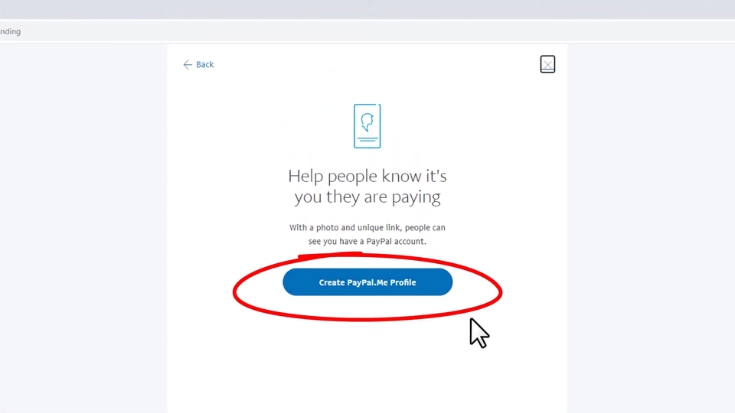
If you want a simplified way to receive money, creating a PayPal.me link is useful. This is especially practical for freelancers, small business owners, and online sellers.
After logging into your PayPal account, go to the PayPal.me section. You will see an option to create your link. Choose your desired name carefully because it must be unique. If someone else has already selected that name, you will need to adjust it slightly until an available version appears.
Once confirmed, your link becomes active immediately. From that point forward, your custom URL can be shared in emails, invoices, social media profiles, and websites.
Keep in mind that once created, this username typically cannot be changed.
How Payments Work With A PayPal Username
When someone uses your registered email, they enter it directly into the PayPal “Send Money” field. The funds are transferred into your account balance.
When someone uses your PayPal.me link, they visit your unique page, enter the amount, and complete payment. They do not gain access to your personal financial details. The system remains secure and encrypted.
The sender never sees:
They only see the payment interface.
Is It Safe To Share Your PayPal Username?
Sharing your PayPal email or PayPal.me link is safe for receiving payments. These identifiers function similarly to sharing an email address. They do not expose your financial credentials.
However, you should never share:
If someone asks for that information, it is likely a scam attempt.
Can You Change Your PayPal Username?
Your registered email address can be updated at any time through account settings. This allows flexibility if you switch email providers or rebrand your business.
Your PayPal.me username, on the other hand, usually cannot be changed once created. This is because it serves as a permanent public identifier.
Exceptions may apply in cases such as:
In such cases, PayPal may request official documentation before approving changes.
Hiding Your PayPal.me Link
Streamer friends, this is super important if you use PayPal. By DEFAULT, your email, address, phone, name — will all be visible through transactions/invoices. It was super quick to change it all to -Hide from recipients-. Stay safe❣️ https://t.co/pjLwJAxRUV
— Lilly ☣︎ (@RealKittyRawr) January 28, 2025
If you do not want your PayPal.me link to appear publicly on your profile, you can disable its visibility. Navigate to Settings, open the Privacy section, and toggle off the PayPal.me display option.
This hides the link from your public profile but does not delete it. You can re-enable it at any time.
Common Mistakes Users Make
Many new users assume that PayPal assigns them a random username automatically. That is not the case. Your login identity is your email address. If you want a separate public handle, you must create it manually.
Another common mistake is thinking the PayPal username is needed to log in. The @username cannot be used for login. Only your email and password work for account access.
Final Clarification
View this post on Instagram
If you are asking, “What is my PayPal username?”, the answer depends on what you mean:
If you want to log in or receive payments privately, your PayPal username is your registered email address.
If you want a public payment link, your PayPal username is your optional PayPal.me handle formatted with an @ symbol.
Knowing this distinction ensures that you share the correct information when receiving payments and prevents unnecessary confusion during transactions.
Some users also connect their account activity with PayPal Rewards, which offers points or cashback opportunities when eligible purchases are made through the platform.

Luis graduated from Boston 2004 in Northeastern University and Tulane University with a MBA in NYU Stern School of Business.
Since then, Luis O. has earned the CFA Institute Certificate in ESG Investing, the Chartered Financial Analyst® designation (CFA® charter), as well as having FRM Certification which makes him a high-level financial consultant.
Luis has been collaborating in writing finance-related content for allaboutcareers since February 2022.